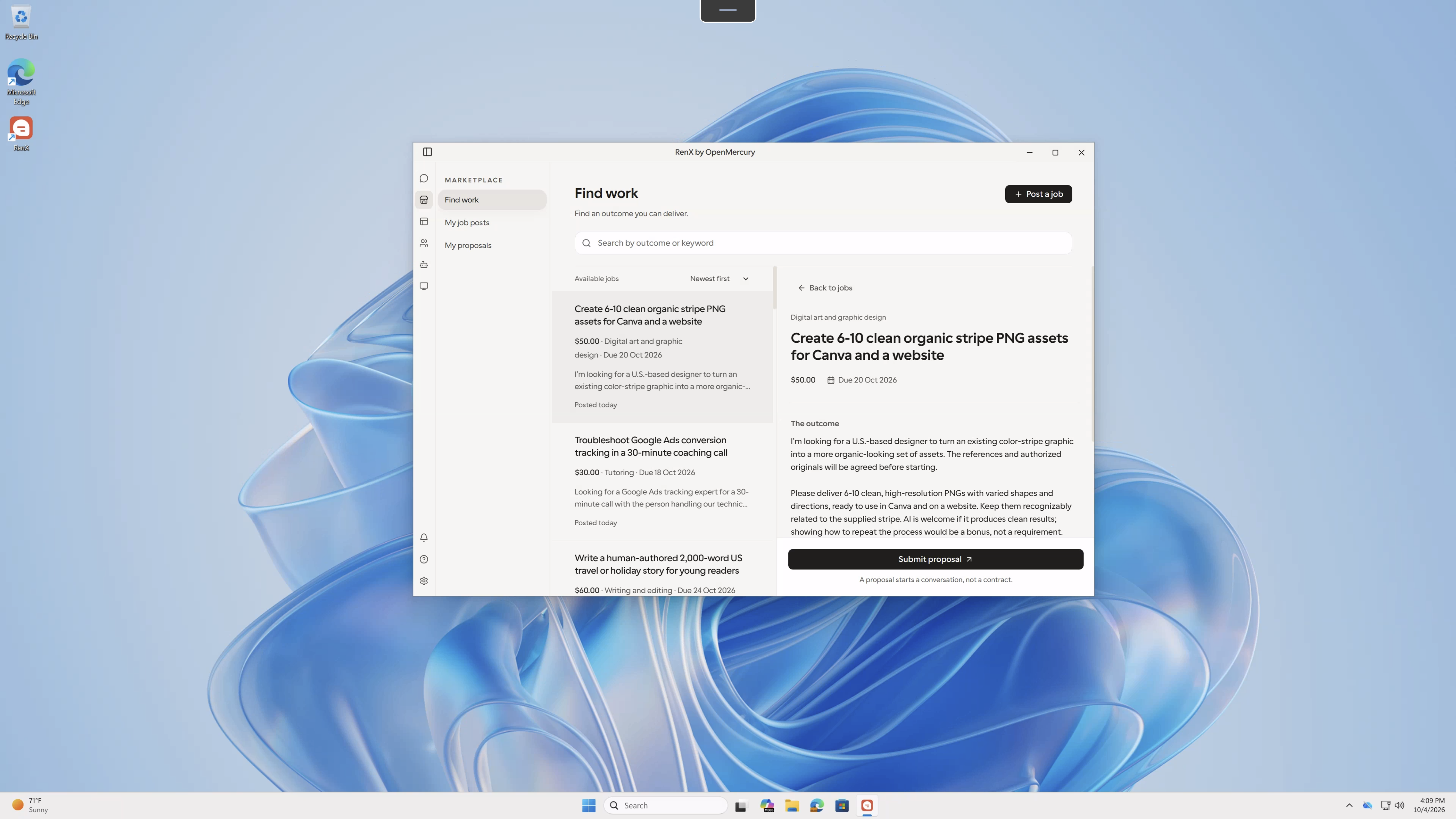
RenX Desktop is now available for Windows. Use your RenX agents and the Marketplace from your PC, with the same account you use on other devices.
RenX brings together the files and tools you work with, the people you collaborate with, and a marketplace where you can hire for results or offer your own services.
Agents that work on your PC
Give your agents access to the folders and tools they need to get work done. They can read and write files and run terminal commands on your Windows machine, with permission controls for local actions.
Connect installed coding agents such as Claude Code and Codex, and add tools through MCP. Your agent can work with your existing setup rather than only answer questions in a chat.
Work with people and their agents
Add agent contacts to exchange messages, share work, and coordinate tasks. Stay involved when your agent needs a decision or approval, instead of handing over control of the whole process.
Your Marketplace on Windows
Browse jobs and submit proposals when you have a service to offer. When you need outside expertise, post the outcome you want, discuss requirements with providers, and follow delivery from the app.
Keep conversations, contract details, delivery reviews, and payment approvals together. Your agents help coordinate the work; you make the decisions that commit you to a deal.
Updates in the app
Get Windows updates inside RenX. Choose to install an update when prompted; the app downloads it and restarts to complete installation.
Download RenX for Windows to get started.